Sharing with others
Sharing is opened from the Share button above the list or from the sharing button at the bottom left.
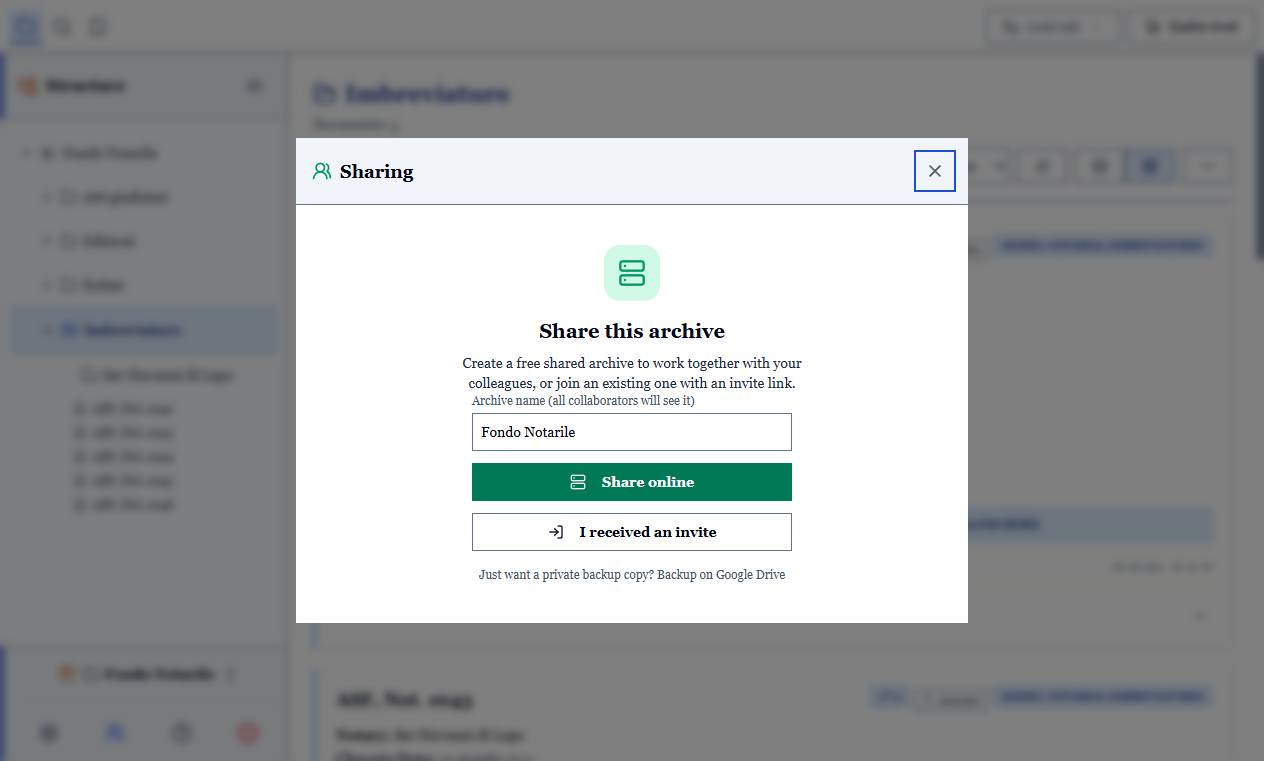
If you are the one creating the shared archive
- Open sharing and create the common archive: your local copy is uploaded as it is, attachments included.
- Generate an invitation for each person, giving it a label (the colleague's name): it tells you later which access you are revoking.
- Send the invitation however you prefer: it is a code that can be pasted, or a link that opens ArchiView directly.
As owner you see the list of members and can revoke anyone's access at any time: from that moment their synchronisation stops working, with an explicit message.
One invitation per person
Generating a different invitation for each collaborator is what makes revocation selective. A single code passed to everyone can only be revoked for everyone.
If you receive an invitation
- Open the link, or paste the code into the welcome screen.
- Choose the local folder in which to keep your copy of the archive.
You now have a complete copy on your computer, usable offline, which aligns itself when the network is available. No Google account or other registration is needed.
As a member you can receive, send and leave the archive; invitations remain with the owner.
Everyone on the same version
Since version 3.2.0 the content of a shared archive is encrypted before it reaches the server, and earlier versions of ArchiView cannot read it: they would see an empty archive and offer to delete the records. All members must update before sending changes. Anyone who has not updated yet and sees that request must not confirm it.
What participants see
Everything in the shared archive: records, transcriptions, models, tags, attachments.
What is personal or tied to your machine is not shared: the trash, local snapshots, saved searches, print settings and the OCR language.
The server hosting the archive, on the other hand, sees nothing: records, transcriptions, the archive's name and attachments reach it encrypted. The keys stay on the participants' computers.
An attachment or a text received from a collaborator cannot write files outside the archive folder or trigger commands in the program.
Working well as a group
- Divide the work by fonds or by series, not by field. Two people on the same fonds on different days do not get in each other's way; two people on the same record on the same afternoon do.
- Agree on the models before starting. Changing a model halfway is possible, but whoever has already catalogued fifty documents will have to review them.
- Agree on conventions: how names are written, which tags exist, how doubts are marked. A controlled vocabulary removes half the discussions.
- Download at the beginning and upload at the end of every session.
Leaving, revoking, closing
- A member can leave whenever they like: their local copy remains, it simply stops synchronising.
- The owner can revoke one member at a time.
- Everyone always keeps a complete, readable copy of the archive on their own disk: nobody can leave you without your data.